

Filing your income tax return (ITR) is an important step in managing your finances, but missing the e‑verification step can bring everything to a halt. Without e‑verification, your return won’t be processed, which means delays in refunds or assessments and added stress.
The pressure increases when the deadline is approaching, and you realise you missed the 30‑day window for e‑verification. This can leave you confused about the next steps and concerned about potential penalties. Without e‑verification, your return may be considered invalid, delaying crucial financial decisions.
In this blog, we’ll explain what e‑verification means, the various methods to complete it, and why it’s essential to ensure your tax filing is processed smoothly and without delays. Whether you’re new to filing taxes or just want to understand the process better, we’ve got you covered.
TL;DR
- E-verification is crucial to validate your ITR after filing, without which your return won’t be processed, delaying refunds or assessments.
- You have 30 days to complete e-verification; missing this deadline may result in your return being considered invalid.
- Common e-verification methods include Aadhaar OTP, EVC via bank accounts, net banking, ATM, or Digital Signature Certificate (DSC).
- Failing to verify within the 30-day window can result in penalties and delays in processing your return.
- If you face delays, Pocketly offers quick, short-term loans to help cover expenses while waiting for your return to be processed.
What Is E‑Verification?
E‑verification is an online process used to validate your income tax return (ITR) after you’ve submitted it. In simple terms, it’s how you confirm your identity and ensure that your tax filing is complete and accurate. Think of it as a digital signature that tells the government, "Yes, this return is genuine."
Previously, you had to print and send a signed copy of your ITR to the tax office, but now, e‑verification makes the process faster and easier by handling everything electronically. It’s a crucial step in the filing process, and without it, your return won’t be processed — meaning no refunds or tax assessments.
How E‑Verification Works?
Here’s a simple breakdown of how the e‑verification process works after filing your income tax return:
- File Your ITR: The first step is to submit your income tax return online via the e‑filing portal.
- Choose Your Verification Method: You can verify your return using one of these methods:
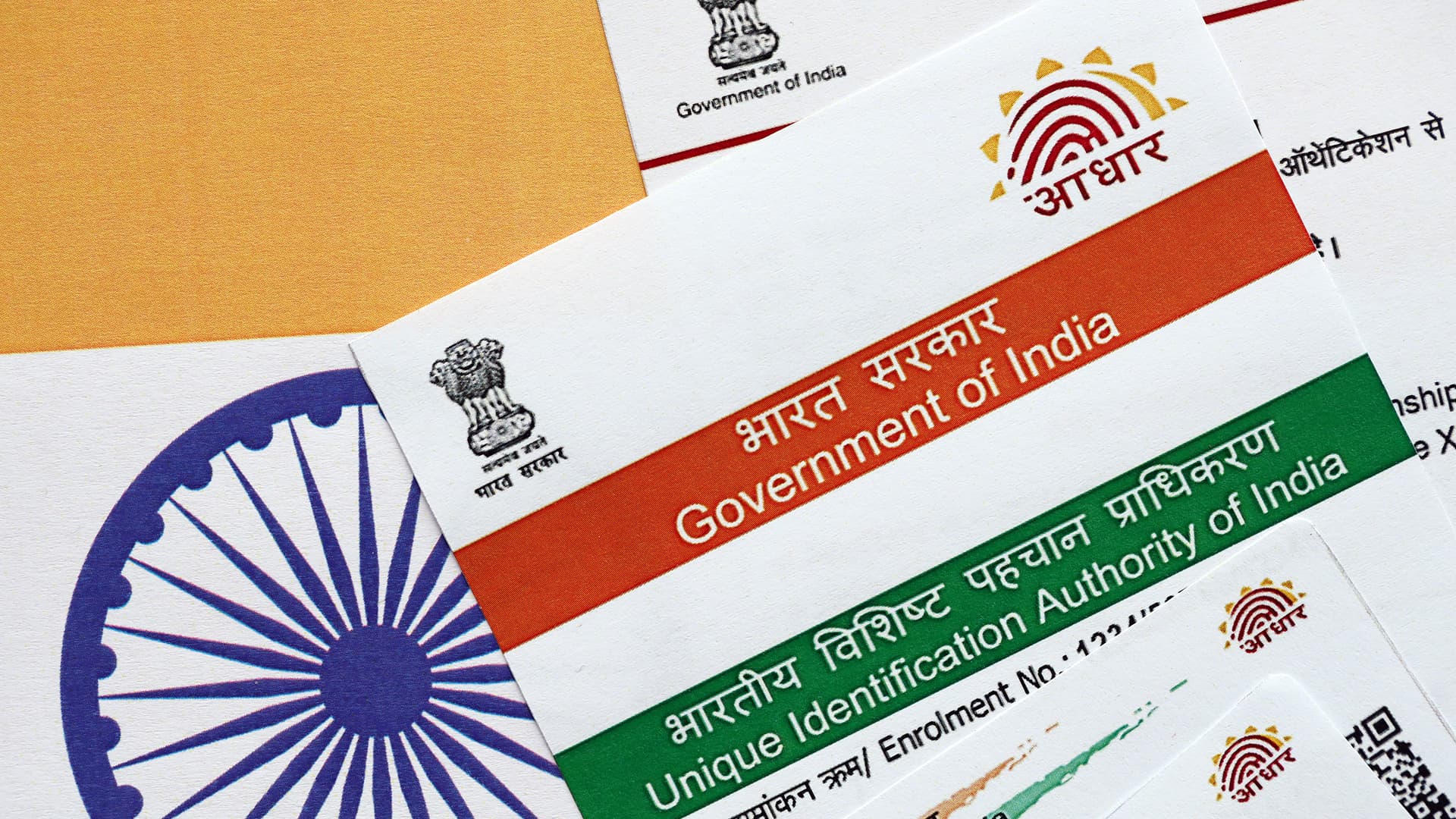
- Aadhaar OTP: Receive an OTP on your Aadhaar-linked mobile number and enter it to verify.
- EVC via Bank or Demat Account: Generate an Electronic Verification Code (EVC) from your bank or demat account.
- Net Banking: Log in to your net banking account and use the e‑verification option.
- ATM EVC: Generate an EVC using an ATM.
- Complete the Verification: Enter the necessary details for your chosen method and submit.
- Confirmation: Once verified, you’ll receive a confirmation message, and your ITR will be processed.
Methods of E‑Verification
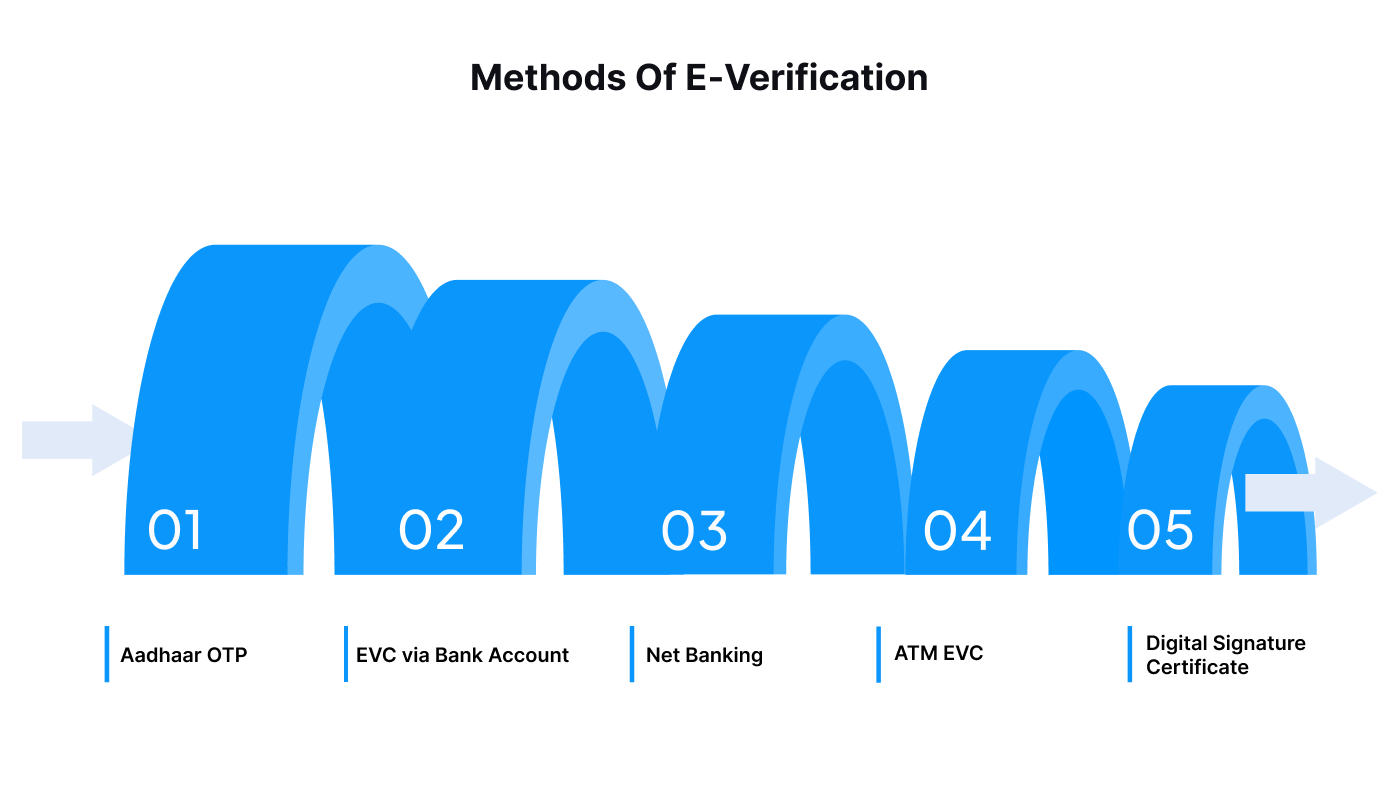
There are several easy ways to complete your e‑verification after filing your income tax return. Here’s a quick overview of the most common methods:
- Aadhaar OTP
- The fastest and most convenient method. You’ll receive an OTP (One-Time Password) on your Aadhaar-linked mobile number. Just enter the OTP on the portal to verify your return.
- EVC via Bank Account
- You can generate an Electronic Verification Code (EVC) through your bank account or demat account. This code will be sent to your registered mobile number, which you can enter to complete the verification.
- Net Banking
- Log in to your bank’s net banking interface, choose the e‑verification option, and follow the instructions to verify your return online.
- ATM EVC
- If you don’t have access to net banking, you can generate an EVC through your bank’s ATM. Once you receive the code, use it for e‑verification.
- Digital Signature Certificate (DSC)
- For those who prefer a higher level of security, a Digital Signature Certificate (DSC) can be used to e‑verify your return. This method is more commonly used by companies or professionals filing their returns.
Each of these methods ensures your return is verified and processed without delays, making your tax filing experience smoother and more efficient.
Deadline for E‑Verification
Completing e‑verification is crucial to ensure your income tax return is processed smoothly, but timing is everything. Here’s what you need to know:
- 30-Day Window
- After filing your ITR, you have 30 days to complete the e‑verification process. This deadline begins from the date of filing your return. Failing to do so within this period means your return won’t be processed, and it may be considered invalid.
- Consequences of Missing the Deadline
- If you miss the 30‑day deadline, your return will remain unprocessed, and the tax department will not assess it. This could lead to a delay in getting your refund, or worse, penalties for non-compliance.
- Late E‑Verification
- In case you miss the deadline, you may still be able to e‑verify your return, but you’ll need to request a condonation (an extension). This is not always guaranteed, so it’s best to complete your e‑verification within the 30 days to avoid complications.
Make sure to complete your e‑verification within the allowed time to keep your ITR valid and avoid any unnecessary delays or penalties.
Common Issues During E‑Verification
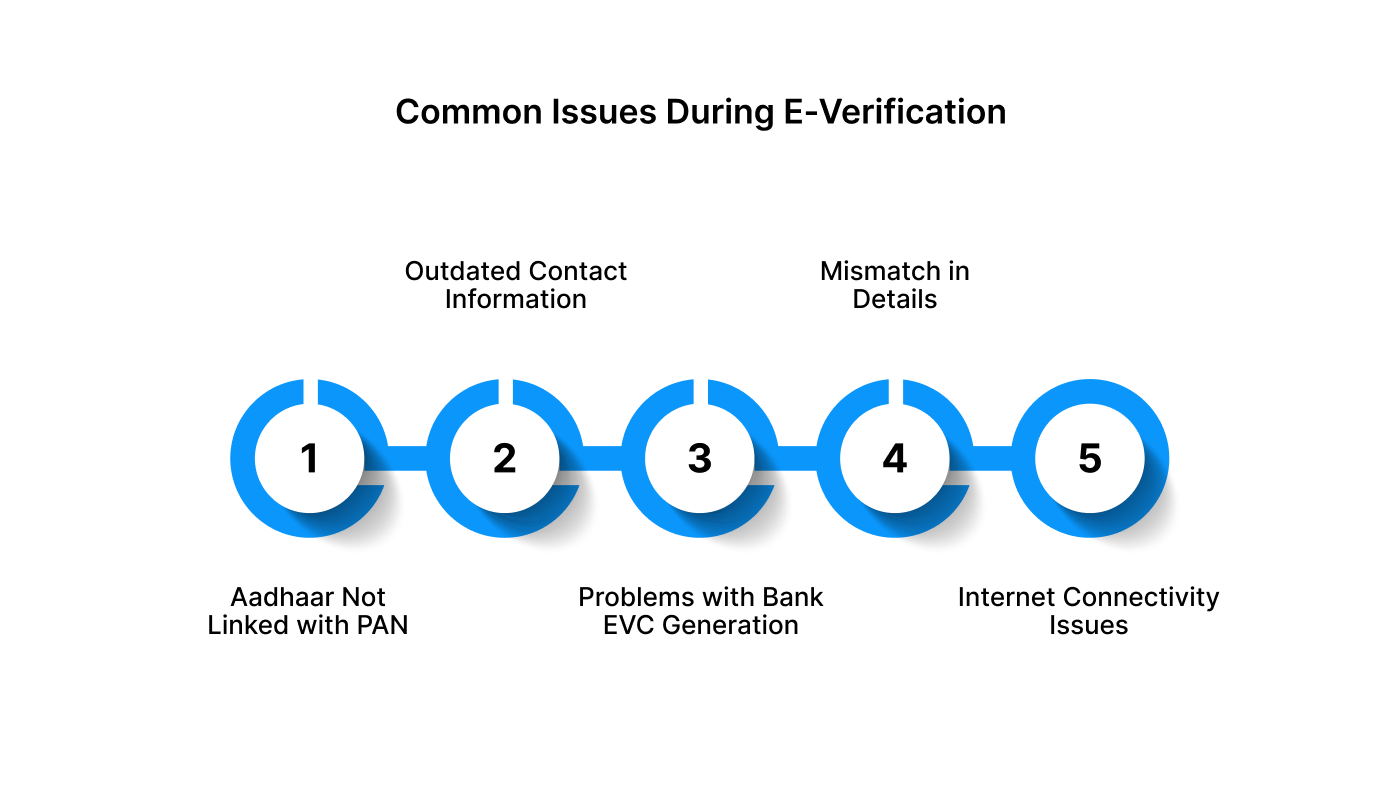
While e‑verification is a basic process, there are a few common difficulties that can cause delays or prevent successful verification. Here’s a quick guide to help you troubleshoot:
- Aadhaar Not Linked with PAN
- If your Aadhaar is not linked with your PAN, you won’t be able to receive the OTP for e‑verification. To resolve this, make sure your Aadhaar and PAN are linked through the e‑filing portal before attempting the e‑verification again.
- Incorrect or Outdated Contact Information
- If your phone number or email address is not updated in the Income Tax records, you may not receive the OTP or EVC. Ensure that your contact details are accurate and up to date in your profile on the e‑filing portal.
- Problems with Bank EVC Generation
- Sometimes, generating an EVC via net banking can face delays due to banking issues or server downtime. If this happens, try again later or use another method like Aadhaar OTP or ATM EVC.
- Mismatch in Details
- Ensure that all the information you’ve submitted is correct, especially your Aadhaar number, PAN, and mobile number. Mismatches between the information in your tax return and the official records may prevent successful e‑verification.
- Internet Connectivity Issues
- Slow or unstable network connections can sometimes interfere with the e‑verification process, causing delays or failures. Try again with a stable connection or use a different method to verify your return.
By being aware of these common issues, you can troubleshoot and complete your e‑verification smoothly, ensuring your income tax return is processed without any further delays.
Also Read: Understanding Differences between Form 16, Form 16A and Form 16B
What Happens If You Miss the E‑Verification Deadline?
If you fail to complete your e‑verification within the 30-day deadline, your income tax return won’t be considered valid. Here’s what you need to know and how to handle the situation:
- Your Return Becomes Invalid
- If e‑verification isn’t completed within the 30-day window, the Income Tax Department will not process your return. This means any claims for tax refunds or assessments won’t be processed, potentially delaying any refunds or financial updates.
- Option for Late E‑Verification
- If you miss the deadline, you may still be able to complete your e‑verification, but only if you submit a condonation request. This request must be approved by the Income Tax Department, and it’s not guaranteed. Therefore, it’s always best to complete the process within the allowed timeframe.
- Risk of Penalties
- If your return is not processed due to missed e‑verification, there may be penalties or interest on any due taxes, and you’ll need to file your return again, which could lead to further delays and complications.
- How to Avoid the Issue
- Set reminders to complete your e‑verification within 30 days after filing your return. Using methods like Aadhaar OTP or Net Banking can help speed up the process and avoid missing the deadline.
E‑verification is essential to ensure your income tax return is processed on time, so make it a priority to complete it before the deadline. If you do miss it, take the necessary steps to avoid penalties and delays.
Also Read: Understanding TAN and Its Application
How to E‑Verify Your Income Tax Return: A Step‑By‑Step Guide with Different Ways
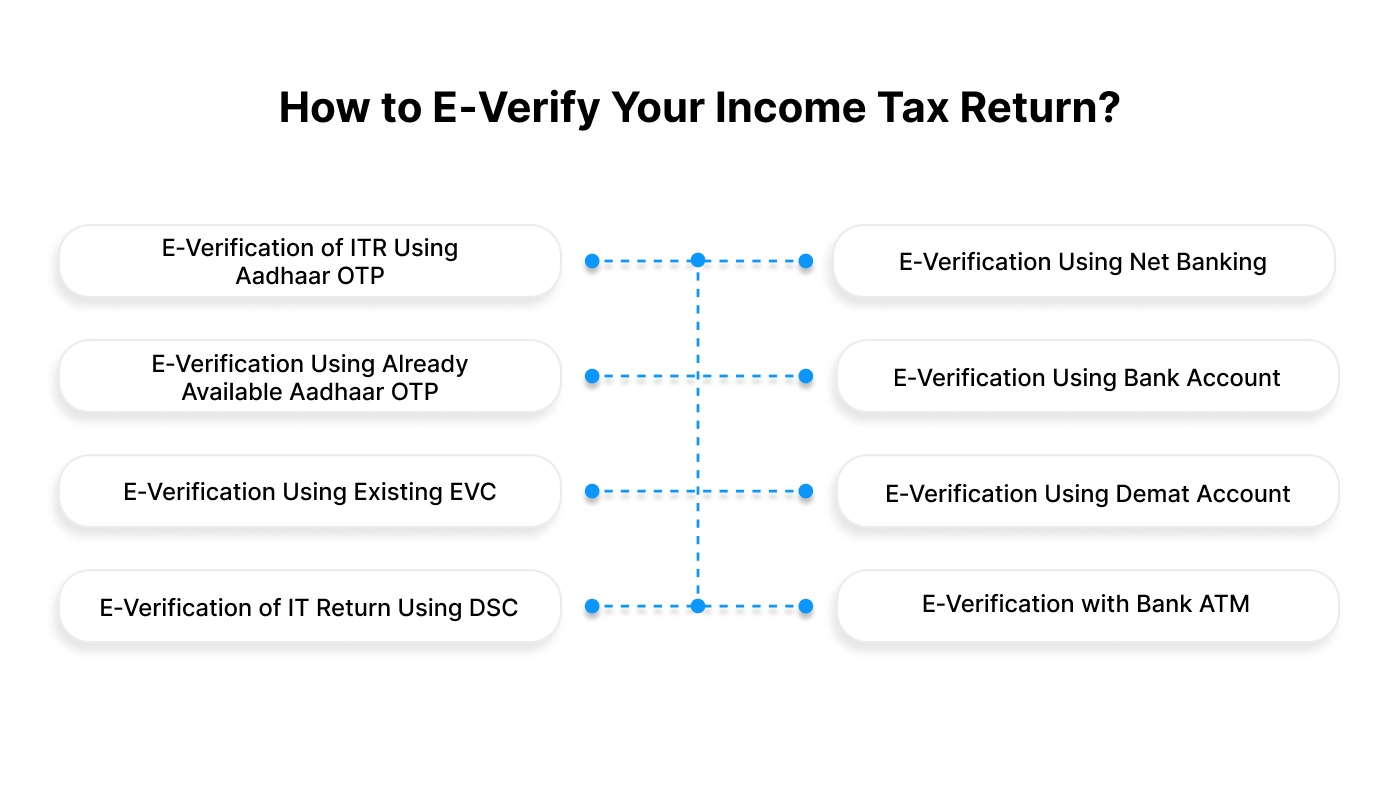
E‑verification is the final step in completing your income tax return (ITR) filing. It ensures that your submitted ITR is genuine and authentic, and it confirms your identity with the Income Tax Department. Below is a detailed guide on how to complete the e‑verification process using various methods available to taxpayers.
E‑Verification of ITR Using Aadhaar OTP
- Log in to the Income Tax e‑Filing Portal: Go to the Income Tax e‑filing portal and log in using your PAN and password. This gives you access to your dashboard.
- Navigate to ‘e‑file’ and Select ‘e‑Verify Return’: On the dashboard, locate the ‘e‑file’ option. From the dropdown, select ‘Income Tax Returns’ and then click on ‘e‑Verify Return’.
- Choose ‘Verify Using OTP on Aadhaar-Linked Mobile Number’: If you haven't already linked your Aadhaar with the Income Tax portal, you must link it first. Once linked, choose the option ‘I would like to verify using OTP on a mobile number registered with Aadhaar’.
- Generate Aadhaar OTP: A pop-up window will appear requesting your agreement to validate your Aadhaar details. Select the checkbox and click on ‘Generate Aadhaar OTP’. You will be sent a 6-digit OTP on your Aadhaar-registered mobile number.
- Enter the OTP and click on ‘Validate’: Enter the OTP in the specified field on the portal. Once you’ve filled in the OTP, click on ‘Validate’ to complete the e‑verification process.
E‑Verification Using Already Available Aadhaar OTP
- Log in to the Income Tax Portal: Visit the Income Tax portal and sign in with your PAN and password.
- Navigate to ‘e‑verify’ Option: On your dashboard, go to the ‘e‑file’ option and select ‘e‑Verify Return’.
- Select ‘I Already Have an OTP’: If you’ve already received the Aadhaar OTP, select ‘I already have an OTP on my mobile number registered with Aadhaar’.
- Enter the OTP and Complete the Process: Fill in the 6-digit OTP you received on your Aadhaar-registered mobile and click ‘Continue’. This will finalise your e‑verification.
E‑Verification Using Existing EVC (Electronic Verification Code)
- Select ‘I Already Have an EVC’: If you’ve previously generated an EVC (for example, through net banking or your bank’s mobile app), you can choose ‘I already have an electronic verification code (EVC)’.
- Enter the EVC and Click ‘Continue’: After selecting this option, enter the EVC you received and click on ‘Continue’ to complete the e‑verification.
E‑Verification of IT Return Using DSC (Digital Signature Certificate)
- Choose ‘Verify Using Digital Signature Certificate (DSC)’: Select ‘I would like to e‑verify using Digital Signature Certificate (DSC)’ from the e‑verify page.
- Download and Install the EmSigner Utility: If you haven’t already, download and install the EmSigner utility on your system. This tool is needed to sign the ITR using your DSC.
- Confirm Installation of EmSigner Utility: Once installed, select the option that says ‘I have downloaded and installed the EmSigner utility’ and click ‘Continue’.
- Sign the Data Using Your DSC: On the data sign page, fill in your ‘Provider’, ‘Certificate’, and ‘Provider Password’. After entering the necessary details, click ‘Sign’.
- Completion and Success: Upon successful signing, you’ll receive a transaction ID and a success message. Keep this transaction ID for future reference. Additionally, a success notification will be sent to your registered mobile number or email.
E‑Verification Using Net Banking
- Select ‘Through Net Banking’ Option: On the e‑verify page, choose the ‘Through Net Banking’ option and click ‘Continue’.
- Select Your Bank: Choose the bank where your PAN is linked, and click ‘Continue’.
- Review the Disclaimer Message: A disclaimer message will appear; review it, and click ‘Continue’.
- Log in to Net Banking: You will be redirected to your bank’s Net Banking page. Log in with your valid credentials to move forward.
- Complete E‑Verification: Select the ‘e‑Verify Your Return’ option to return to the e‑filing portal. Choose the relevant ITR form and click ‘e‑Verify’.
E‑Verification Using Bank Account
- EVC Sent to Your Registered Mobile Number and Email: You will receive an EVC (Electronic Verification Code) on your pre-validated mobile number and email linked to your bank account.
- Select ‘Through Bank Account’ on E‑Verify Page: On the e‑verify page, choose the option ‘Through Bank Account’ and click ‘Continue’.
- Enter the EVC and click on ‘e‑Verify’: Enter the EVC received and click ‘e‑Verify’ to complete the verification process.
E‑Verification Using Demat Account
- Receive EVC via Demat Account: You will receive an EVC on the registered mobile and email linked to your demat account.
- Choose ‘Through Demat Account’ on the E‑Verify Page: On the e‑verify page, select ‘Through Demat Account’ and click ‘Continue’.
- Enter EVC and click on ‘e‑Verify’: Enter the EVC you received and click on ‘e‑Verify’ to finalise the process.
E‑Verification with Bank ATM (Offline EVC Generation)
- Visit the Bank ATM: Go to your bank’s ATM and swipe your ATM card.
- Enter the ATM PIN: Enter your ATM PIN and select the option to ‘Generate EVC for Income Tax Filing’.
- Receive EVC: You will receive an EVC on your registered mobile number and email.
- Log In and Complete E‑Verification: Log in to your account, select ‘I already have an Electronic Verification Code (EVC)’, enter the EVC, and click ‘e‑Verify’ to complete the process.
When E‑Verification Delays Your Tax Filing, Pocketly Can Help
If you’re waiting for a tax refund but haven't completed the e‑verification process on your income tax return, you might face delays in processing. While e‑verification itself doesn't typically affect your financial situation, it can cause your return to be held up, which could delay your refund or create cash gaps if you're relying on those funds.
In situations like this, Pocketly offers quick, short-term loans to help you cover expenses while you wait. Whether you're waiting for your tax return to be processed or dealing with financial uncertainty caused by delays, Pocketly provides a fast, easy solution to keep you on track.
Here’s how the loan process works:
- Sign Up Quickly: Register in just two taps using your mobile number.
- Simple KYC: Upload your Aadhaar, PAN, and complete basic KYC.
- Secure Bank Details: Add your bank information for a smooth transfer.
- Select Loan Amount & Tenure: Choose a loan that fits your budget and repayment needs.
- Instant Transfer: Once approved, the funds are transferred directly to your account within minutes.
With flexible repayment options, transparent fees, and an entirely online process, Pocketly is here to help you manage financial gaps while you wait for your e‑verification and tax filing to be processed.
Bottom Line
Understanding the ins and outs of e-verification and income tax filing is key to managing your finances confidently. Knowing the process, from submitting your ITR to completing the e-verification step, will not only keep you compliant but also streamline your filing experience year after year.
But even with good planning, there are times when unexpected expenses arise, or refunds take longer than expected. In those moments, having a backup plan can make all the difference. Pocketly can provide quick, short-term relief, ensuring that temporary cash flow gaps don’t affect your overall financial goals.
For fast, reliable support when you need it, download Pocketly on iOS or Android and access the funds you need without disrupting your long-term financial stability.
FAQs
1. What is e-verification in income tax?
E-verification is the electronic process of confirming your filed income tax return (ITR) with the Income Tax Department, making your return valid and complete.
2. Why is e-verification important for filing taxes?
E-verification is crucial as it officially confirms that the taxpayer has filed the return, ensuring the return is processed, and any refunds or assessments can be issued.
3. How long do I have to e-verify my income tax return?
You must complete e-verification within 30 days of filing your ITR. If you miss the deadline, the return will not be considered valid.
4. What are the methods to e-verify my ITR?
You can e-verify your ITR using various methods, such as Aadhaar OTP, EVC via net banking or bank/demat account, Digital Signature Certificate (DSC), or ATM-based EVC.
5. What happens if I don’t e-verify my ITR?
If you don’t complete the e-verification process within the allowed time, your ITR will be treated as invalid, and you will not receive any refunds or notices related to it.