

Ever find yourself wondering where your money disappears by the end of the month? Between unexpected expenses, bills, and everyday spending, it can be hard to stay on track. Many young professionals and self-employed individuals face this challenge, often feeling anxious about how to manage their cash flow or save for future needs.
That is where automated budgeting comes in. It helps in tracking your income and expenses, giving you a clear view of where your money goes. With digital tools, you can set limits, plan better, and avoid those last-minute financial surprises.
In this guide, you will learn how to simplify your budgeting process and take control of your finances. Whether you want to save more, pay bills on time, or handle emergencies confidently, an automated budgeting approach can help you make smarter financial decisions and build long-term stability.
Key Takeaways
- Automated budgeting uses technology to track income, expenses, and savings in real time, reducing manual effort and errors.
- It connects with your bank accounts, UPI apps, and wallets to categorise spending and send alerts when you approach limits.
- Automation helps you save time, improve accuracy, and make informed financial decisions through real-time insights.
- Stay cautious about data security, app compatibility, and hidden subscription costs while using digital budgeting tools.
- For short-term emergencies, Pocketly offers instant personal loans from ₹1,000 to ₹25,000, helping you manage cash flow without disturbing your budget.
What Is Automated Budgeting?
Automated budgeting is a digital method of managing your finances through technology. It automatically tracks your income, spending, and savings without manual effort. These systems connect with your bank accounts or UPI apps to update your financial data in real time.
Using algorithms, they categorise expenses, generate spending summaries, and alert you when you approach preset limits. This gives you a complete view of your cash flow and helps you stay within budget.
Key functions of automated budgeting include:
- Expense Categorisation: Groups transactions by type, such as groceries, rent, or transport.
- Spending Analysis: Displays insights into where your money goes each month.
- Goal Tracking: Monitors progress toward savings or debt repayment goals.
- Payment Alerts: Notifies you of upcoming bills or overspending.
Automated budgeting represents the next step, making financial planning accurate, data-driven, and stress-free.
Also Read: 6 Simple Budgeting Tips for Better Money Management
Why Automated Budgeting Makes Managing Money Easier
Automated budgeting simplifies financial management by reducing manual tracking and human error. It gives you timely insights into your spending patterns, allowing you to make informed decisions faster.
Here’s how it improves day-to-day money management:
- Saves Time: Updates and calculations happen automatically.
- Improves Accuracy: Eliminates mistakes common in manual records.
- Provides Real-Time Data: You see spending changes as they occur.
- Encourages Financial Discipline: Alerts help you maintain spending limits.
- Supports Smarter Decisions: Insights guide you to adjust budgets when needed.
For instance, if your dining expenses exceed your usual limit, your budgeting app will flag it instantly. You can review and control spending before it affects your savings.
By using automated budgeting, you stay organised, maintain control over your finances, and build consistent money habits, without spending hours tracking every rupee.
How Automated Budgeting Works
Once you understand what automated budgeting is, the next step is to see how it functions in practice. The process involves four main stages that use technology to make your financial management more efficient and accurate.
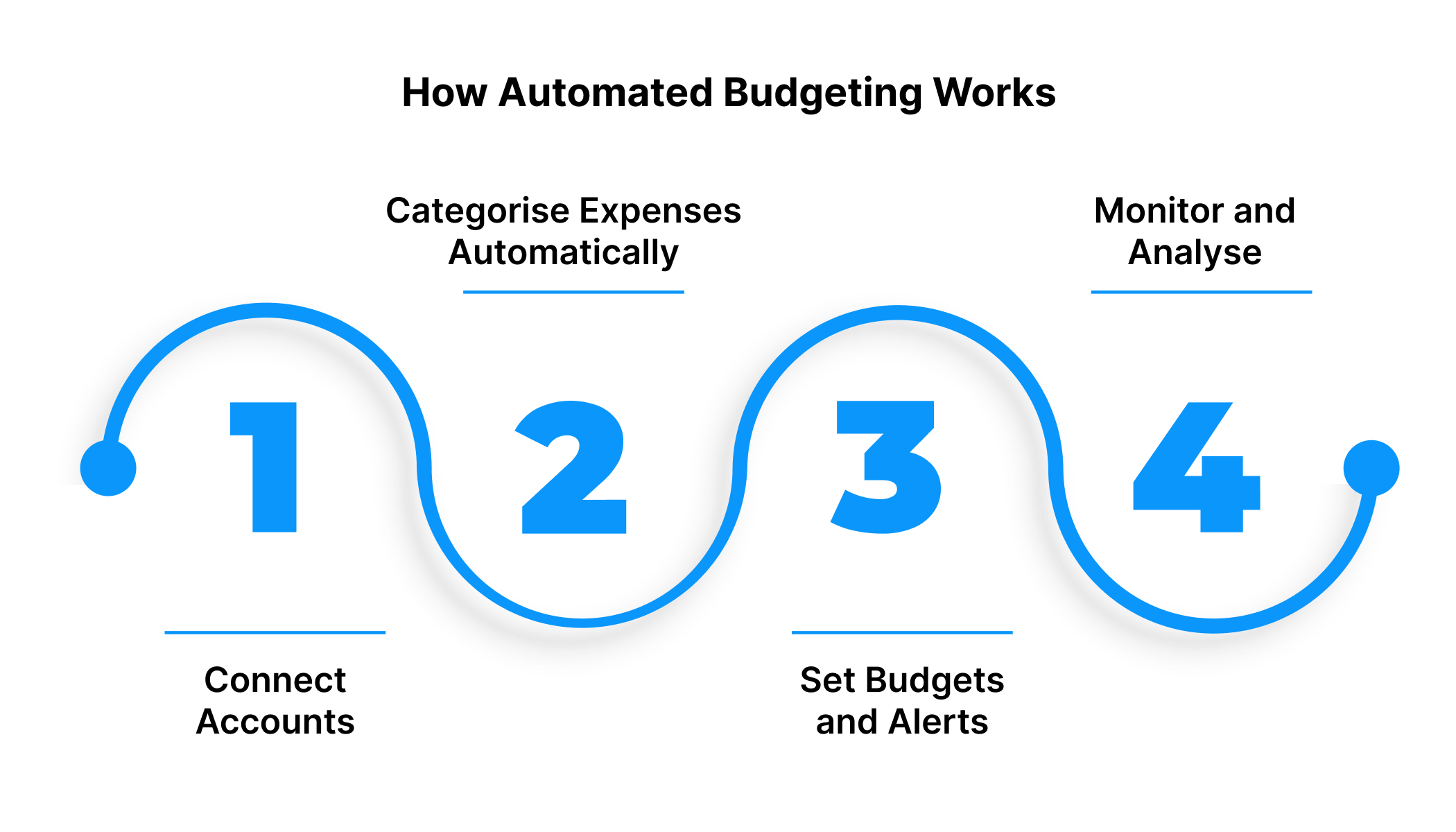
1. Connect Accounts
The first step in automated budgeting is linking your financial sources, such as bank accounts, UPI apps like Google Pay or PhonePe, and digital wallets like Paytm.
This connection allows the system to access your transaction data securely and bring it all together in one place. Most modern budgeting platforms use end-to-end encryption and RBI-compliant APIs to protect your financial information.
By connecting all your accounts, you create a single dashboard that gives you a clear, real-time view of your cash flow, including income, expenses, and balance across multiple sources.
2. Categorise Expenses Automatically
Once your accounts are connected, the system begins analysing and categorising transactions using algorithms and machine learning models.
Your spending is automatically sorted into categories such as:
- Essentials: Rent, groceries, utilities, and transportation
- Financial obligations: EMIs, insurance premiums, and loan repayments
- Lifestyle expenses: Subscriptions, entertainment, dining, or shopping
This automated process removes the need to tag every transaction manually. Over time, the system learns your spending behaviour, improving accuracy and offering more personalised insights.
3. Set Budgets and Alerts
After your spending data is categorised, you can set specific limits for each category. The automated budgeting system monitors these limits in real time.
Whenever your spending approaches or exceeds the set threshold, you receive instant alerts through the app or via SMS.
For example, if your monthly grocery budget is ₹10,000 and you reach ₹9,000, the system will notify you. This helps you control spending before it crosses your limit and supports better financial discipline.
4. Monitor and Analyse
The final step is to review progress through detailed dashboards and reports.
These dashboards present a visual summary of your spending trends, savings, and cash flow.
You can easily track:
- Which areas consume most of your money
- How your spending changes each month
- Where can you optimise or reduce expenses
Some advanced automated budgeting tools also offer predictive insights, helping you understand how your current habits may impact your future savings.
By following these steps, automated budgeting gives you better visibility and control over your finances. It turns your spending data into practical insights, that helps you make decisions, manage cash flow effectively, and plan confidently for the future.
Also Read: Financial Planning Tips for Young Adults
Pitfalls to Watch When Automating Your Budget
While automated budgeting makes money management effortless, it’s still important to be cautious. Automation depends on technology and data accuracy, and if something is wrong, it can affect how you track, plan, or even spend. Knowing what to watch out for helps you make automation work in your favour.
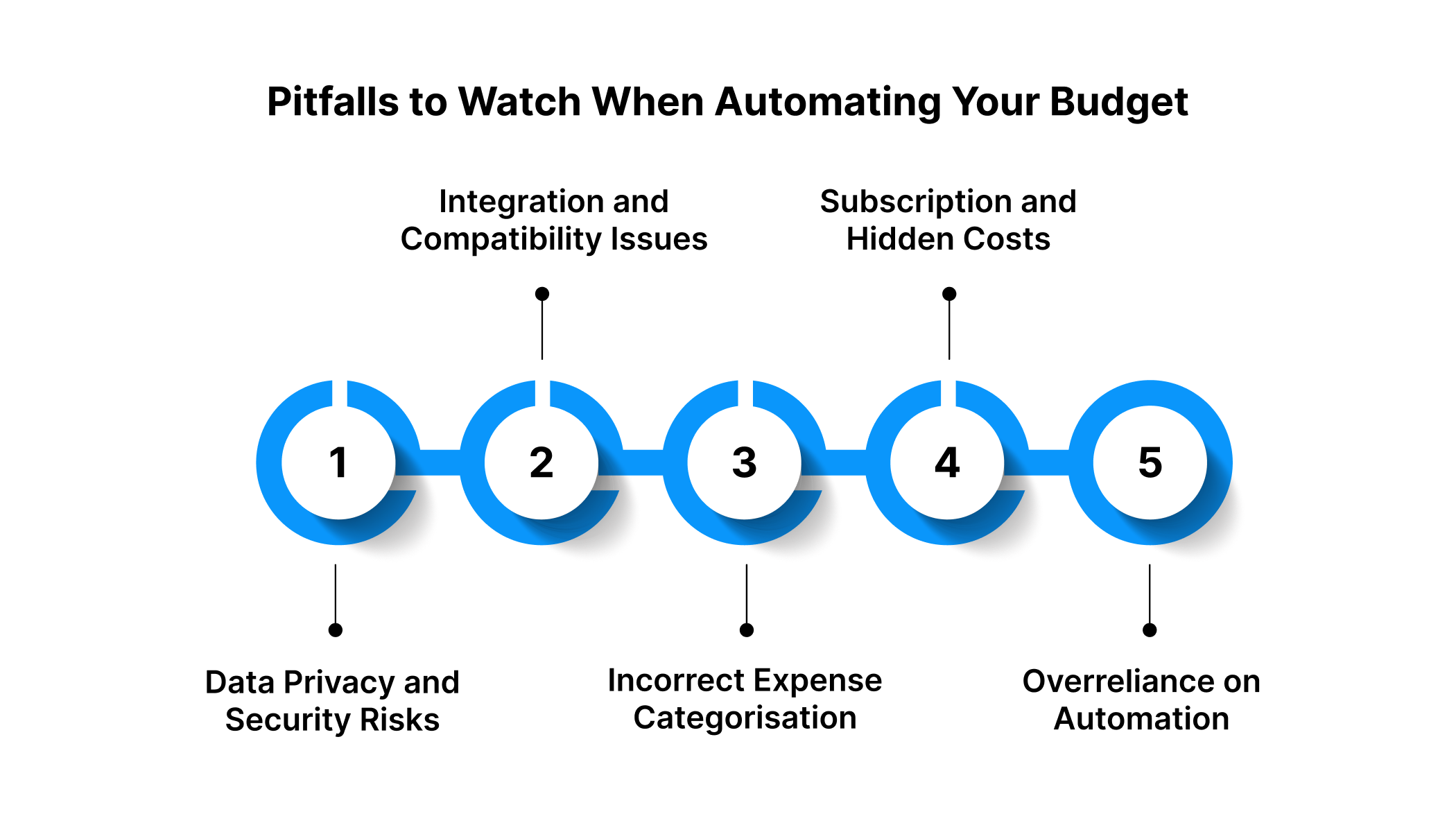
Data Privacy and Security Risks
When you link your bank accounts and UPI apps to a budgeting tool, your financial data travels through digital networks. This makes data privacy and security a top priority. Always check if the platform follows RBI and NPCI regulations and complies with the Digital Personal Data Protection Act, 2023.
Look for apps that include:
- End-to-end encryption for transaction data
- Secure API integrations with financial institutions
- Two-factor authentication for user access
Avoid apps that ask for permissions that are unnecessary or lack clear privacy policies. Even a minor data breach could expose sensitive details. If such a situation disrupts your transactions, Pocketly can serve as a short-term financial buffer, helping you manage expenses safely while you reset your system.
Integration and Compatibility Issues
Automation works only as well as its integrations. Some budgeting tools may not connect smoothly with all banks, UPI apps, or digital wallets. This can lead to missed entries, double records, or incomplete data, making your financial dashboard inaccurate.
Before you start automating:
- Verify that your app supports major Indian banks and UPI apps like Google Pay or PhonePe
- Check compatibility with wallets such as Paytm
- Test the sync feature regularly
If system errors cause delays in updating expenses or balances, they could temporarily affect your cash flow.
Incorrect Expense Categorisation
AI-driven tools learn your spending patterns, but they’re not always accurate. A recurring EMI might be wrongly tagged under “entertainment” or “utilities,” which could distort your monthly reports.
To maintain accurate insights:
- Review your categories at least once a month
- Correct mislabelled transactions manually
- Observe spending trends after each correction
Subscription and Hidden Costs
Many budgeting apps begin with free features and later introduce subscription plans for premium tools like analytics or spending insights. These charges, if unnoticed, can disturb your monthly budget.
Before subscribing:
- Compare free vs paid plans
- Evaluate whether the extra features are essential for your goals
- Track automatic renewals to avoid unexpected deductions
Overreliance on Automation
While automation simplifies finance, it should not replace your judgment. Depending entirely on algorithms can lead to unnoticed errors or miscalculations.
Keep a habit of manually reviewing your budget:
- Cross-check monthly reports and alerts
- Verify major transactions and recurring payments
- Adjust goals when income or expenses change
Automation is powerful, but it still needs your attention and a backup plan. By choosing compliant apps, reviewing your data regularly, and having a reliable contingency, you can make automated budgeting both safe and effective. Regular checks keep your finances steady.
Getting Started with Automated Budgeting
Now that you understand how automation works, it is time to apply it. Getting started with automated budgeting is simple when you follow a few structured steps.
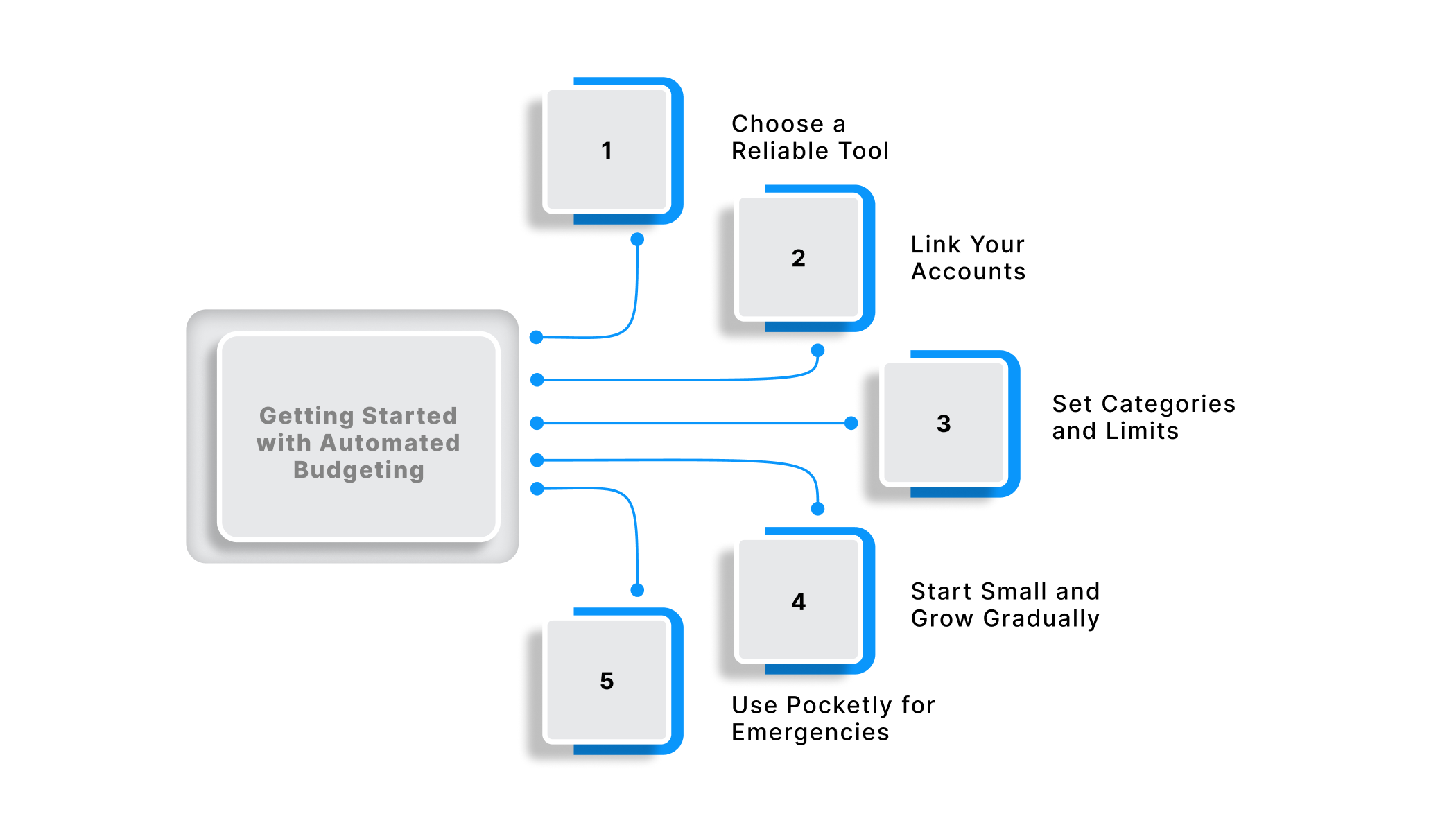
Choose a Reliable Tool
Begin by selecting a budgeting app that connects securely with your bank accounts, UPI apps, and wallets. Look for RBI-compliant platforms with end-to-end encryption and real-time updates.
Link Your Accounts
Next, connect your salary, savings, and wallet accounts such as Paytm, PhonePe, or Google Pay. This ensures that your income and expenses sync automatically. Secure APIs handle your data safely and keep your records current.
Set Categories and Limits
Once transactions appear, group them into categories like essentials, financial obligations, and lifestyle spending. Most tools classify expenses automatically, but you can fine-tune them for accuracy. Then, set monthly limits and enable alerts for overspending or bill reminders. These notifications help you stay disciplined and aware of your financial activity.
Start Small and Grow Gradually
Begin with your main expenses first. Once comfortable, add savings goals or investment tracking. Expanding slowly helps you stay consistent and understand your spending patterns better.
Use Pocketly for Emergencies
Even with careful budgeting, emergencies can occur. Pocketly offers instant personal loans from ₹1,000 to ₹25,000 with quick KYC, fast approval, and transparent interest rates. This helps you manage short-term financial gaps without disturbing your plan.
Automated budgeting is about gaining control through technology. When you review your data regularly and adjust as needed, you will see better savings habits, fewer surprises, and greater confidence in managing your money.
Conclusion
Automated budgeting helps you take control of your finances with accuracy and ease. By combining technology with discipline, you can track spending, plan better, and build lasting financial stability. It replaces guesswork with data-driven insights and ensures that your financial goals stay on course. Over time, this habit not only improves your cash flow but also helps you stay confident when handling unexpected expenses.
If you ever face a sudden expense or cash shortfall, Pocketly can help bridge the gap. It offers instant personal loans ranging from ₹1,000 to ₹25,000 with quick KYC, transparent interest rates, and fast approval. Whether it is a medical bill, utility payment, or any emergency, Pocketly provides short-term financial support without affecting your ongoing budget plan.
Take the next step towards better financial control. Download the Pocketly app today on Android or iOS and manage your finances with confidence and flexibility.
FAQs
1. How often should I review my automated budget?
You should review your automated budget at least once a month. This helps you verify that transactions are correctly categorised, spending limits are accurate, and alerts reflect your current financial goals.
2. Can automated budgeting improve my credit score?
Indirectly, yes. Automated budgeting helps you manage cash flow, avoid missed payments, and maintain consistent savings. These habits contribute to timely bill payments, which has a positive impact on credit score over time.
3. Is automated budgeting suitable for irregular income?
Yes. If you are self-employed or earn an irregular income, you can set flexible budget categories based on average earnings and variable expenses. Most budgeting tools also allow you to adjust limits as your income changes.
4. What should I do if my budgeting app stops syncing transactions?
First, check your internet connection and app permissions. If the issue continues, refresh the account link or contact the app’s support team. Keeping manual notes temporarily ensures your data remains complete while the issue is resolved.